— Help center
Integrations overview
Caledee plugs into the calendar and video tools you already use, and offers a developer surface for everything else.
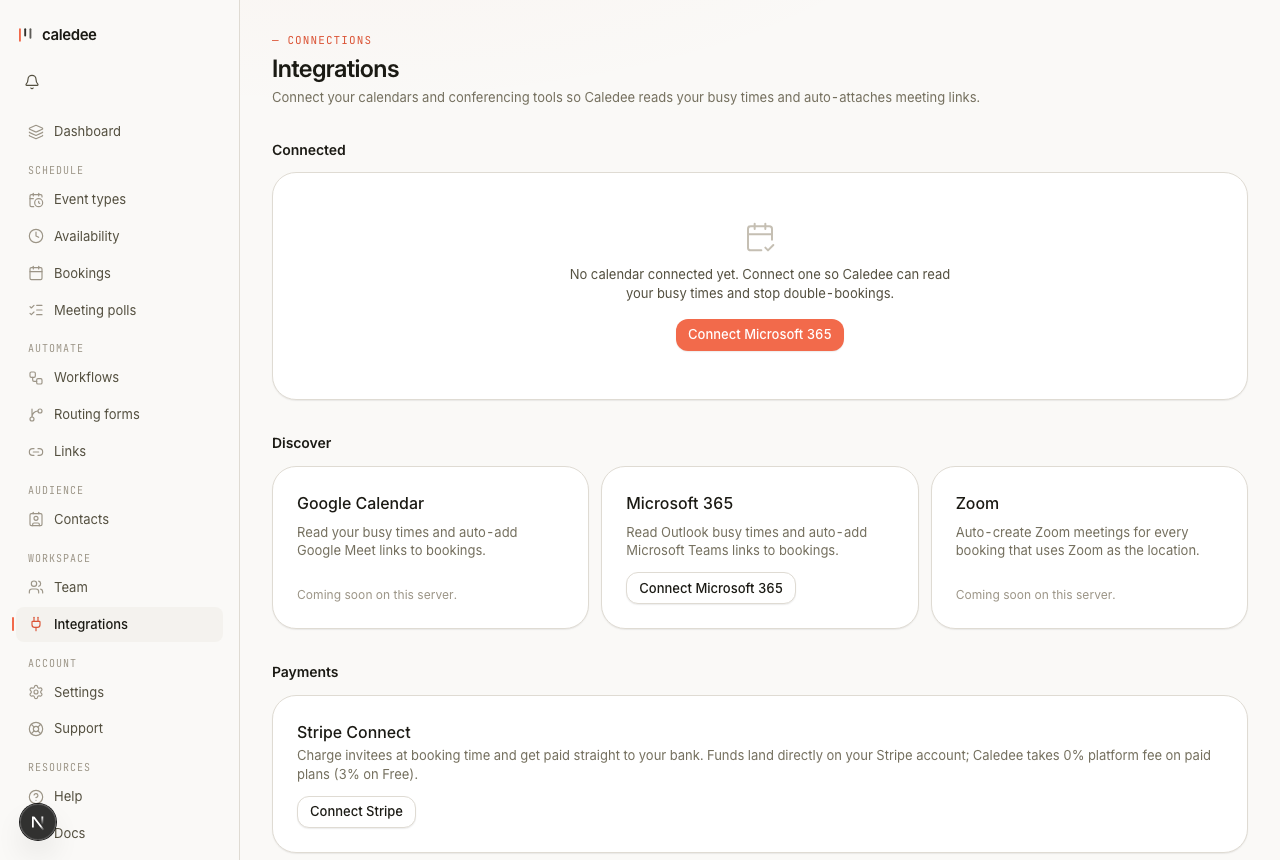
Calendars
Connect Google Calendar or Microsoft 365 / Outlook from the Integrations page. Once connected, Caledee:
- Reads your existing events so it never offers a slot you're already busy in.
- Writes each new booking to the calendar you choose.
- Reschedule or cancel inside Caledee and the calendar updates instantly; delete a booking's event from your calendar and Caledee cancels the booking.
Video conferencing
Connect Zoom to attach a unique meeting link to every booking automatically. Prefer Google Meet? Set it as the location on an event type and a Meet link is created with the calendar event.
Automation and CRMs
Push booking events into the rest of your stack with no-code automation — Zapier, Make, and Slack are documented in the developer docs. CRM connections let bookings and leads flow into your sales tools.
For developers
The developer docs cover the technical surface in depth:
- Public API — read event types, query availability, create and cancel bookings.
- Webhooks — signed HTTPS callbacks on booking events.
- Embed widget — inline, popup, or floating badge with one script tag.
- OAuth 2.0 and MCP for AI agents.
The API and webhooks are Team features. Browse everything at All integrations.