— Help center
Workflows: reminders & follow-ups
A workflow is a set of automated steps that fire around every booking — a reminder the day before, a follow-up an hour after, an alert when someone cancels.
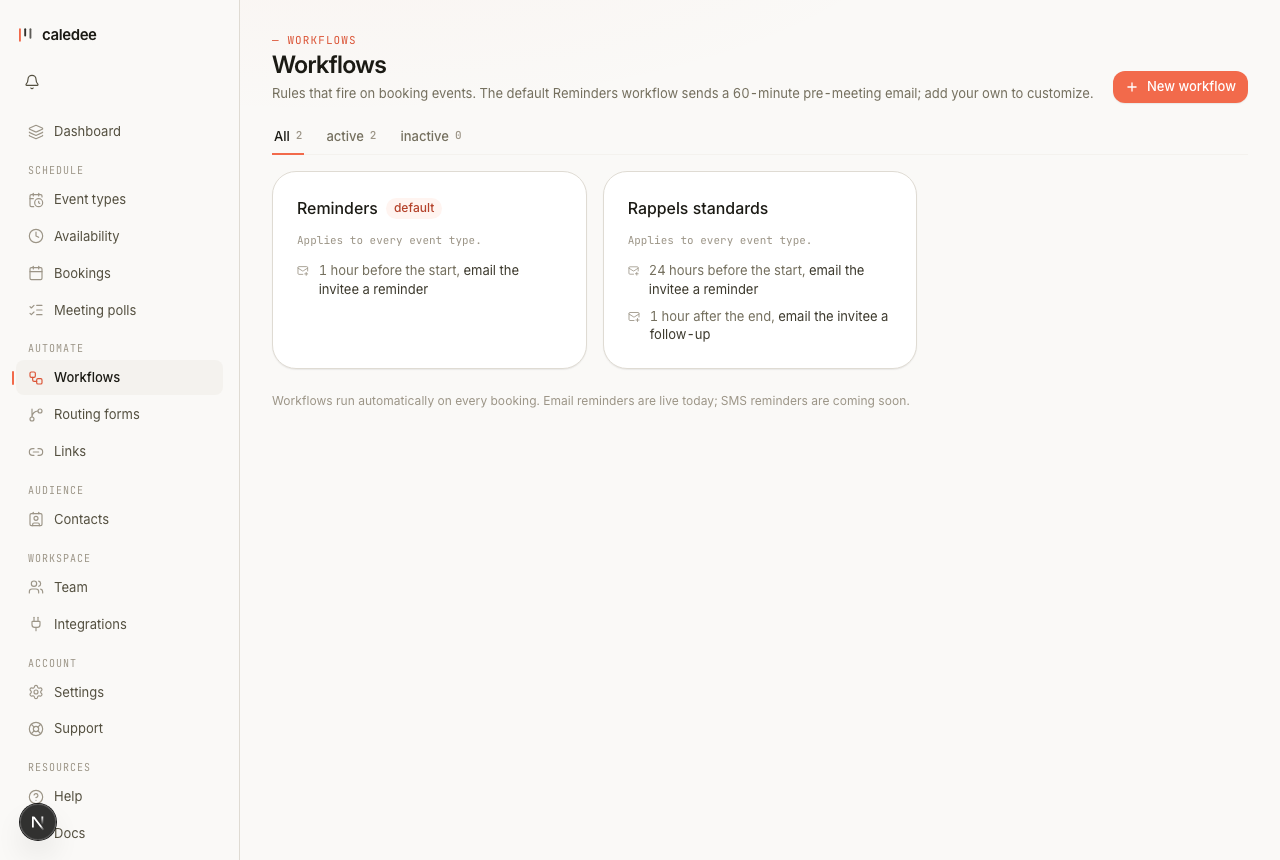
How workflows run
Each workflow has one or more steps. A step pairs a trigger (when), an action (what), and an offset (how long before or after). Steps are scheduled the moment a booking is created and cleaned up automatically if the booking is canceled or rescheduled.
- Free includes 1 active workflow; Pro makes them unlimited.
- The seeded “Reminders” workflow covers the classic reminder-before + follow-up-after pair.
- Workflows can target all event types or only the ones you pick.
Reminder emails carry a reconfirmation link — invitees confirm they're still coming, and you see the state on the booking.
Every option, explained
The complete reference — each option, what it does, and a concrete example. (The same table lives in the downloadable PDF guide on the help home page.)
| Option | What it does | Example |
|---|---|---|
| Triggers | When the workflow fires: booking created · N min before start · N min after end · canceled · no-show. | booking_starts −1440 |
| Email actions | Invitee reminder · host reminder · invitee follow-up. | reminder at D−1 |
| In-app action | A bell notification for the host. | notify_host_inapp |
| Invitee SMS | SMS reminder — coming soon. | (coming soon) |
| Offset | Minutes relative to the trigger; negative = before. | −60 = 1 h before |
| Scope | All your event types, or a selection. | Audit only |
| Active toggle | Pause a workflow without deleting it. | off during holidays |