— Help center
One-off meetings
A one-off meeting is a hidden, single-use link for one specific meeting. You hand-pick a few times, share one link, and it closes the moment someone books — no permanent event type to clean up afterwards.
When to use it
Reach for a one-off instead of a normal event type when the meeting happens once:
- A single interview or panel where you offer a candidate a handful of slots.
- A one-time sales or demo call you don't want listed on your public page.
- Any meeting you'll schedule with someone once — without leaving a permanent, reusable link behind.
Create a one-off meeting
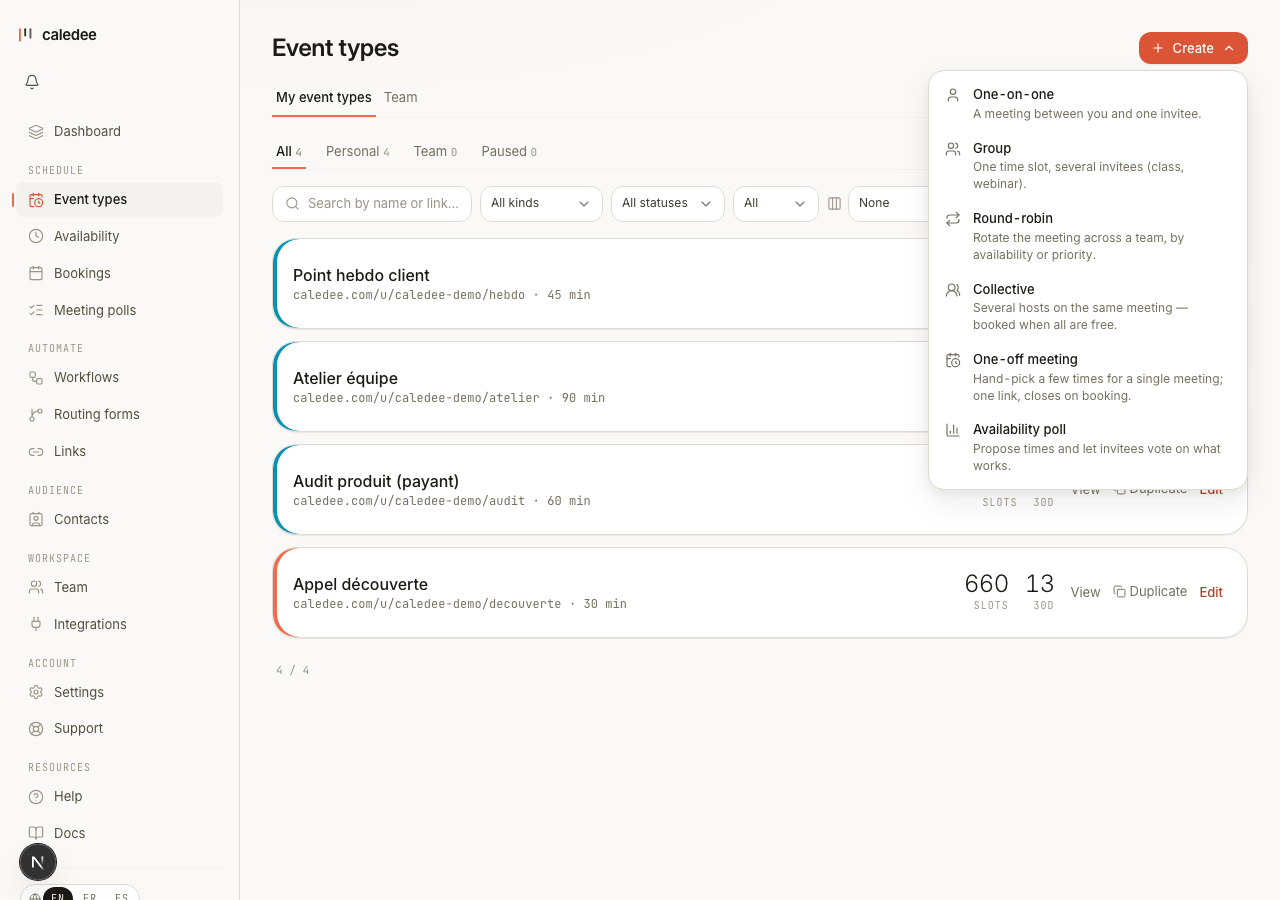
Open Event types, click + Create, and choose One-off meeting. That opens a short creator:
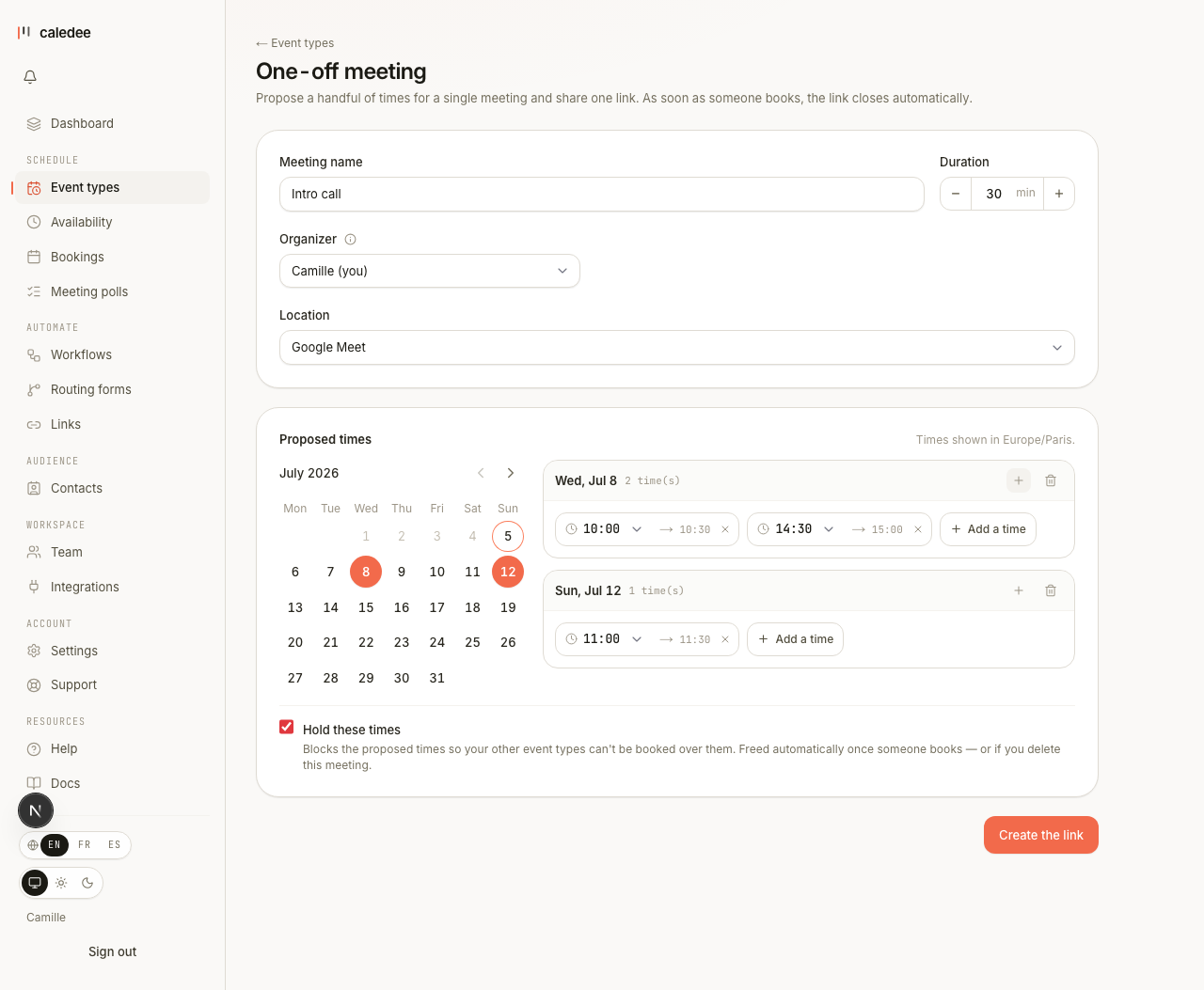
- Give the meeting a name and set its duration.
- Choose a location — a video call, a phone number, an address, or “ask the invitee”.
- Pick one or more days in the calendar, then add or adjust the times you want to offer on each day.
- Leave Hold these times on (the default) to protect those slots, then click Create the link.
Hold your proposed times
Hold these times is on by default. While your one-off is live, the times you proposed are blocked on all your other event types, so no one can book over a slot you're holding open for this meeting.

What happens when someone books
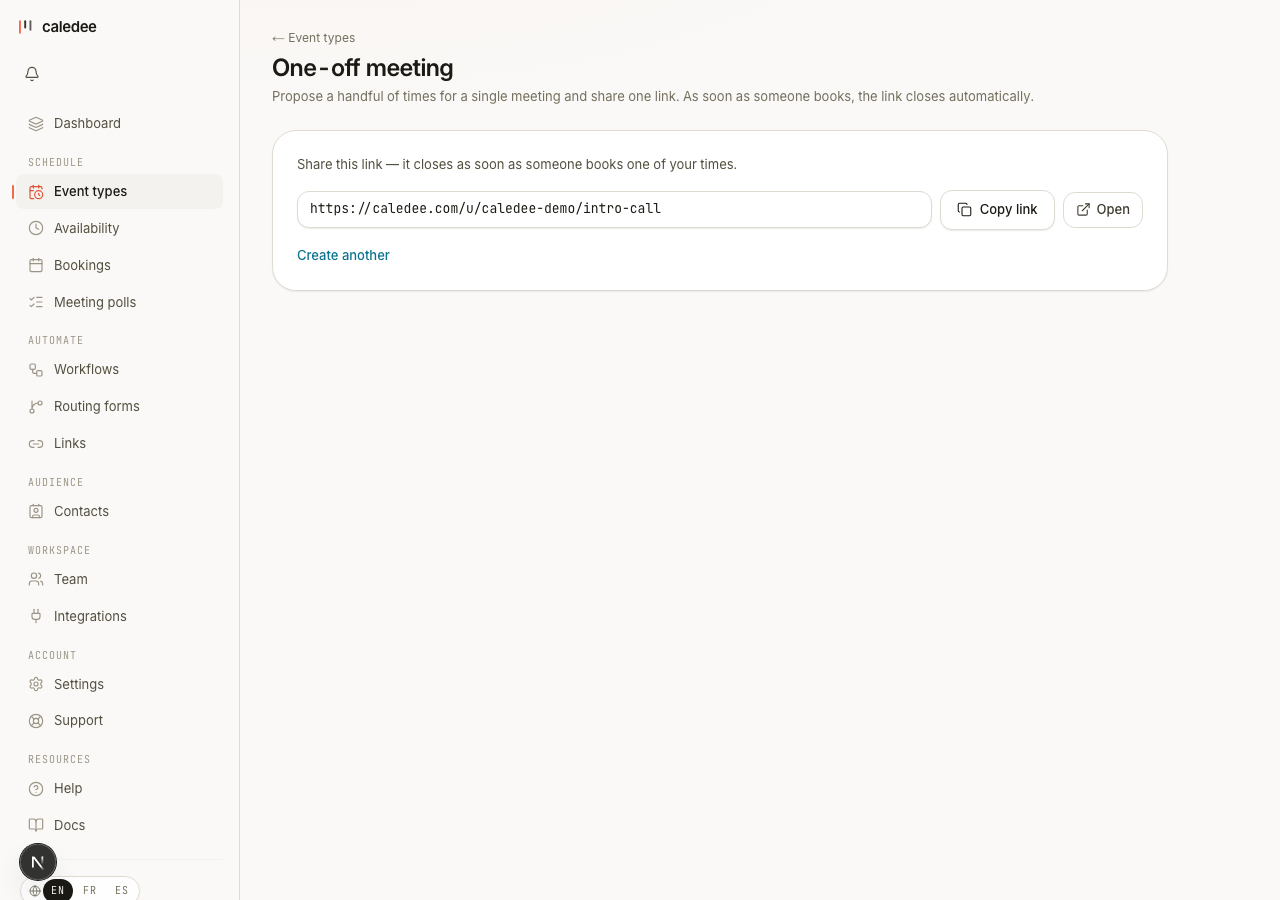
You get one link to share. Your invitee opens it, picks one of your proposed times, and books on your normal booking page. As soon as that first booking lands, the link closes: the other times are no longer available and the link can't be booked again.
Good to know
- One-off meetings are available on every plan, Free included.
- A one-off never shows up in your Event types list and doesn't count toward your plan's event-type limit.
- It's create-and-share: there's no editing after creation — just make a new one if the times change.