— Help center
Meeting polls
When you can't offer a fixed slot, a meeting poll lets a group vote on the time that works for everyone.
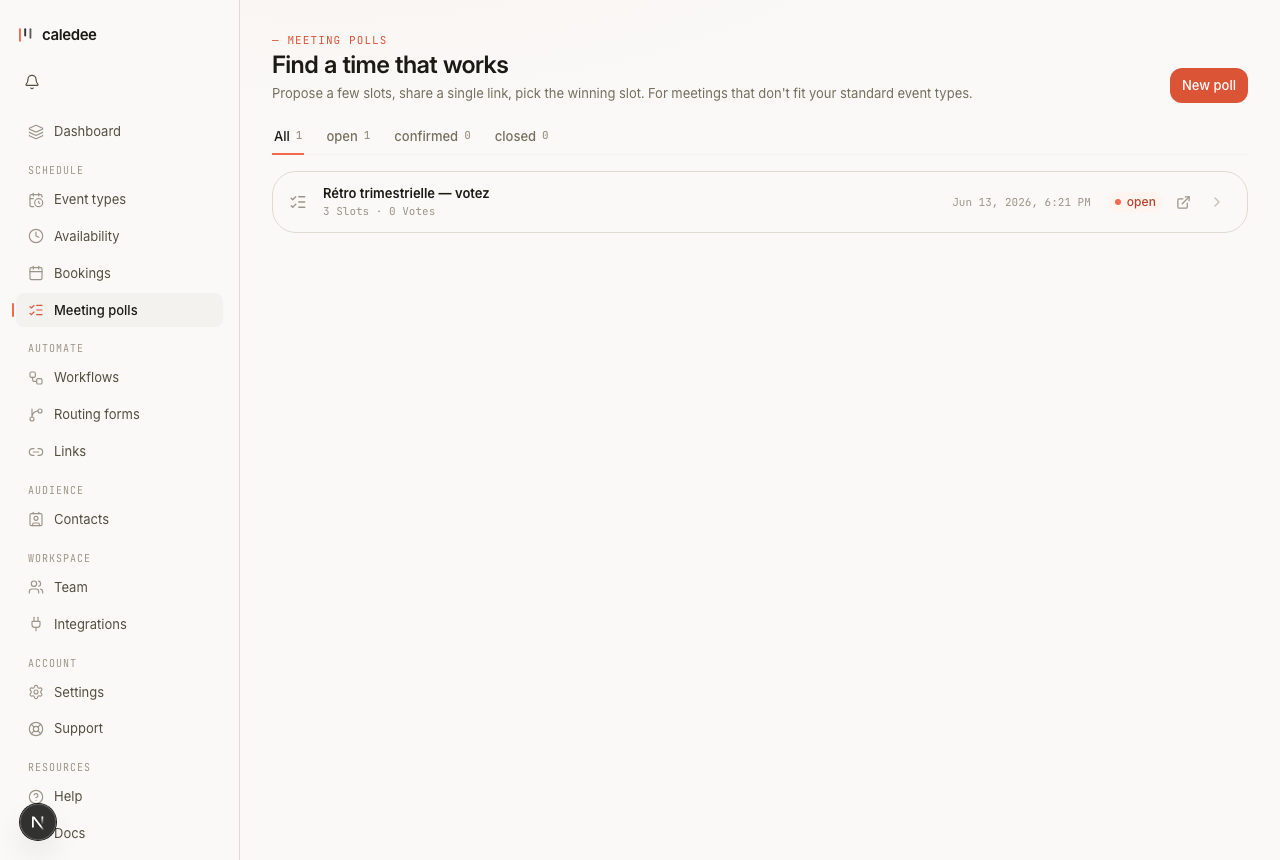
How a poll works
- On the Meeting polls page, create a poll: a title, a duration, and several candidate time slots.
- Share the poll link with everyone who needs to attend.
- Invitees mark which slots they can do.
- When a winner is clear, you confirm a slot — and Caledee turns it into a real booking.
Email confirmation (optional)
By default a vote counts the moment it's submitted — no extra step. If you'd rather keep results extra-honest, turn on “Require email confirmation to vote” when creating the poll: each voter then gets a confirmation link, and their vote only counts once they click it (proving they own the address). This stops a single person from stuffing the poll with made-up names — at the cost of one extra step per voter.
Let invitees propose their own slots
Turn on Allow suggestions when creating a poll and invitees gain a “None of these work? Propose a time” option. They add a slot in their own timezone, and it appears on your poll marked as proposed by that person — so the whole group can vote on it too.
Editing a poll
You can edit a poll while it's still open:
- Add new candidate slots or remove ones nobody can make.
- Slots that already have votes keep them when you save.
- Adjust the closing date, or keep the current one.
Once you've confirmed a slot (or closed the poll), it becomes read-only and links through to the booking.
Every option, explained
The complete reference — each option, what it does, and a concrete example. (The same table lives in the downloadable PDF guide on the help home page.)
| Option | What it does | Example |
|---|---|---|
| Title + description | What voters see on the public page. | “Quarterly retro” |
| Slots | 2 to 20 proposals; kept slots keep their votes when you edit. | 3 × 45-min slots |
| Expiry | Closes the vote automatically after N days. | 7 days (0 = never) |
| Invitee suggestions | Voters can propose their own slots. | enabled |
| Require email confirmation | Off by default (votes count instantly). On = each vote is confirmed via an anti-spam link. | off |
| Confirm a winner | The chosen slot becomes a real booking. | “Confirm” button |